
3D Walkthroughs vs Animations vs Still Renders: Which Do You Need?
Table of Contents
Four formats, four different jobs. A still render, a walkthrough, a flythrough and a full architectural animation are not tiers of the same product, and picking by budget alone is how projects end up with a beautiful film nobody needed and no printable image for the brochure.
The right option depends on your project goals, the message you need to carry, and what you want the audience to walk away feeling. This guide breaks down each format for Canadian residential builders, architects and interior designers, and matches it to your project stage.
The four formats side by side
A still render is one image, fastest and cheapest. A walkthrough moves through interiors at eye level. A flythrough surveys the site from the air. A full animation combines both with direction, sound and motion graphics, and costs the most.
| Format | What it shows | Best for | Relative cost |
|---|---|---|---|
| Still render | One finished frame, print ready | Listings, brochures, boards, approvals | Lowest |
| Walkthrough | Interior layout and flow at eye level | Custom homes, presale condos, renovations | Mid |
| Flythrough | Site, scale, landscaping and context | Large developments, master planned sites | Mid |
| Full animation | All of the above, directed and edited | Investor decks, city presentations, launches | Highest |
One more thing worth knowing before you choose: all four come off the same 3D model. That is what makes a layered package efficient rather than four separate invoices.
What is a still render?
A still render is a single photorealistic image produced from your 3D model, at a resolution ready for print or web. Once the model and materials are locked, production usually takes a few days, because there is only one frame to light, texture and finish.
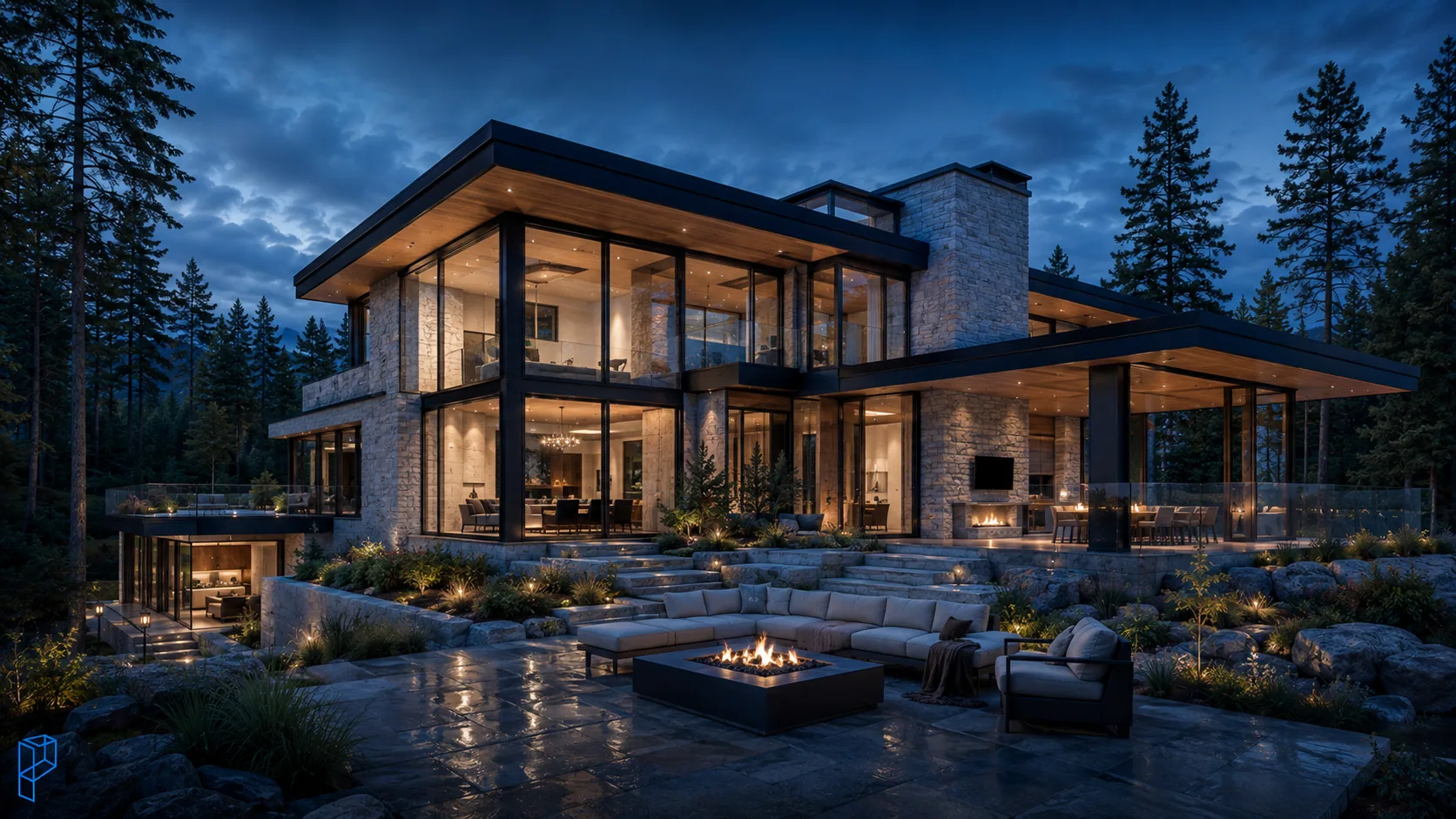
Stills suit presale listings, brochures, sales centre boards, and municipal or committee of adjustment submissions. Interior designers use them to settle a finish palette before client approval, because one accurate image resolves material and lighting questions faster than a tray of swatches ever will. That is the same argument we made at length about kitchen finishes and materials.
- Best for: presale listings, proposal covers, printed boards, approvals
- Turnaround: the fastest of any format, usually days
- Worth knowing: the model built for your still becomes the foundation for video later
That last point is the one people miss. A still render is often the most efficient way to start, not a lesser alternative to video, because the same base model carries straight into a walkthrough. Our 3D visualization services cover both from one build.
What is a 3D walkthrough?
A walkthrough is a continuous video that moves through interior space at human eye level, the way a client would experience the home on a tour. It usually runs thirty seconds to a few minutes and is built frame by frame from your architectural model.
Choose one when layout and flow are the story. That applies directly to custom homes, presale condos and renovation projects, where a floor plan leaves buyers guessing about how rooms actually connect.
- Best for: showing layout, flow and finishes to buyers or clients
- Why it works: buyers experience the space instead of interpreting a drawing
- Pairs well with: a still render for print, a flythrough for site context
A walkthrough is technically one category of animation, focused on grounded, human-scale movement rather than dramatic camera work. It is also the backbone of most real estate marketing video, because it lets a buyer evaluate a space remotely, in any season, without a site visit. The production side of it is covered step by step in our guide to how a 3D architectural walkthrough is made.
What is a flythrough?
A flythrough is an aerial camera sequence that surveys a project from above and around, like drone footage of a building that exists only as a model. It establishes scale and context that no single image or ground-level shot can capture.
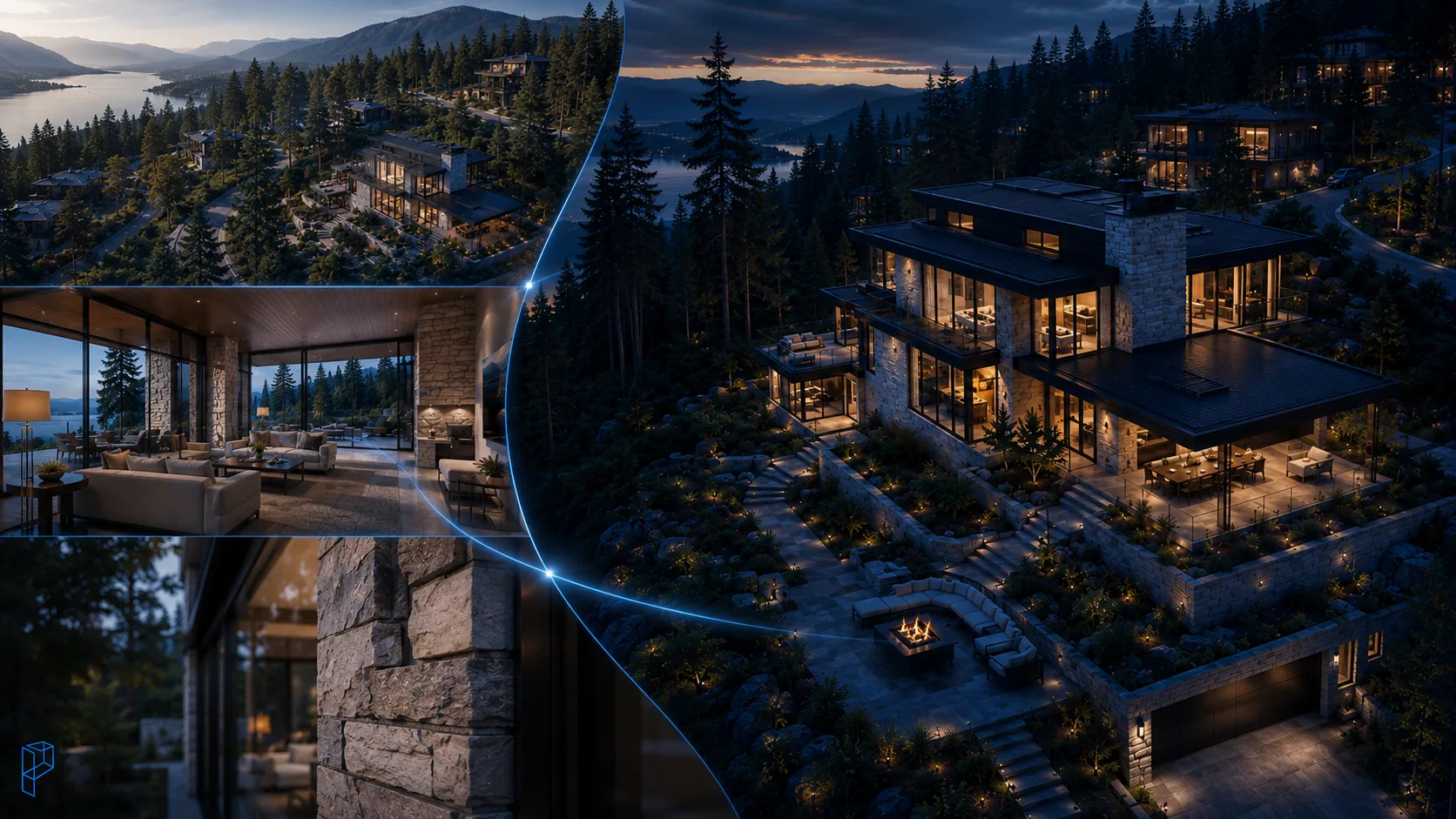
Flythroughs earn their place on larger developments, master planned communities, and any project where the site itself is part of the pitch rather than just the building. Landscaping, streetscape and neighbourhood context all read clearly from that vantage point.
- Best for: large developments, master planned sites, dramatic reveals
- Why it works: establishes scale and site context an image cannot
- Pairs well with: opening a piece before cutting into a walkthrough
Used well, a flythrough is the establishing shot. It sets the scene, then hands over to the walkthrough that takes the viewer inside. See aerial view rendering for the still-image equivalent.
What is a 3D architectural animation?
A full animation is a directed video combining walkthrough and flythrough footage with camera movement, lighting design, music and motion graphics into one cohesive piece. It is built to persuade rather than simply inform, which is why it turns up in investor decks and flagship launches.
An animation can show conditions a still never could: day turning to night, seasonal change, or people moving through a finished space. Motion graphics carry real weight here too. Animated titles, floor plan overlays and feature callouts let a project explain itself to a room that does not read architectural drawings.
- Best for: flagship launches, investor pitches, competitive submissions
- Why it works: built to persuade a room, not simply show a space
- Worth knowing: it contains walkthroughs and flythroughs inside one piece
Our 3D animation services and walkthrough and animation work cover the directed end of this.
How do you decide between them?
Start with the goal, not the format name. Need speed and something printable? Still render. Is interior flow the story? Walkthrough. Does site scale matter? Flythrough. Walking into a high-stakes pitch? A full animation carries the weight the moment needs.
- Still render. Quick approvals and faster decisions, at the lowest spend.
- Walkthrough. Interior flow, layout and atmosphere, shown rather than described.
- Flythrough. The building's exterior, its scale and everything around it.
- Full animation. Marketing campaigns, investor presentations and premium showcases.
Most well-run projects use more than one. Since a single 3D model feeds all four deliverables, layering them is cheaper than commissioning them separately later, which is worth deciding before the model is built rather than after.
What do they cost, and how long do they take?
Cost tracks production complexity. A still render is one finished frame, so it is fastest and least expensive. Walkthroughs and flythroughs cost more because every second of video is many individually rendered frames. A full animation costs the most.
Direction, editing, sound design and motion graphics all sit on top of the rendering work in an animation. As a rule, the more screen time a piece needs and the more emotional impact it has to deliver, the more production goes into it.
- Lowest cost, fastest turnaround: still render
- Mid-range investment: walkthrough and flythrough
- Highest investment: full 3D architectural animation
For actual day counts by deliverable, we published the stage-by-stage numbers in how long an architectural rendering takes.
Which format suits your project?
For a single custom home, start with still renders and add a short walkthrough when budget allows. For a larger development, invest in a full animation with a flythrough opener, because scale is part of the pitch. For a municipal or investor presentation, an animation carries the vision furthest.
- Single home: still renders plus a short walkthrough
- Full community: animation with a flythrough opener
- Investor or city pitch: full 3D architectural animation
- Limited budget: still renders first, every time
If budget is the binding constraint, still renders deliver the strongest return for the lowest spend, and nothing about starting there closes off the video later. The decision comes down to two questions: what does your audience need to understand, and what do you need them to feel.
Choose the right format for your next project
No format is best in every situation. A walkthrough immerses a buyer in interior space. A flythrough establishes scale. A full animation, directed and scored, is what wins the highest-stakes pitches. A still render gets you approved and into print faster than any of them.
Tell us about the build, the audience and the budget, and we will map the right combination to your project. Recent work is in the portfolio, and you can get in touch to scope it. If you are earlier than format selection, the design visualization process covers what happens first, and the file checklist covers what to send.
Frequently asked questions
What is a 3D architectural animation?
A video that guides viewers through a building using camera movement, lighting and sometimes motion graphics to tell a story. It is the most cinematic form of architectural visualization, made for marketing, sales and high-stakes presentations.
What is the difference between a walkthrough and an animation?
A walkthrough moves through space at eye level and emphasises layout and flow. A full animation is broader, with storytelling, dramatic camera movement and motion graphics. Walkthroughs are a type of animation, and a complete animation can contain walkthroughs and flythroughs both.
What is a still render?
A single photorealistic image of a building or interior, produced from a 3D model. It is the fastest and least expensive option, and it suits listings, brochures and approvals where one clean view is enough.
In architecture, what is a flythrough?
A video sequence showing the camera moving over and around a project from above, like drone footage. It is not for interior detail. It establishes exteriors, site context and scale on larger developments.
Should I choose a walkthrough, an animation, or a still render?
Match the format to the objective. Fast and inexpensive images: still render. Demonstrating interior flow: walkthrough. Marketing and emotional impact: full architectural animation.
What does a 3D architectural animation cost?
More than walkthroughs or still renders, because it needs many rendered frames plus direction, editing, sound design and motion graphics. Price varies with project size, but stills are always the least expensive and full animations the most.
Are still renders cheaper than animation?
Yes. An animation requires hundreds or thousands of rendered frames where a still render is one, which makes animation far more time and resource intensive.
How long does an architectural video take to produce?
It depends on complexity. A simple walkthrough can take days. A finished animation with full motion graphics can take weeks.
What is real estate animation for?
It lets buyers and investors view a property before it is built. Walkthroughs and animations help people imagine themselves in a space, which builds the emotional connection that accelerates presales on off-plan projects.
Do I need motion graphics in my architectural video?
Only when the video has to inform as well as move people. Animated text, floor plan overlays and feature callouts help viewers who do not read architectural drawings understand dimensions and amenities. A quiet atmospheric walkthrough does not need them.
Should I use stills or animation for home sales?
Still renders suit quick listings and print. Animation suits high-impact marketing. A single unit usually needs only stills and a short walkthrough; a flagship development justifies a full animation.
Can a walkthrough be used for marketing?
Yes, and it is one of the strongest tools in real estate marketing, because it lets buyers view the interior and picture themselves living there. For a larger campaign, a walkthrough plus a flythrough and motion graphics makes a complete architectural video.
Disclaimer: The information provided in this blog is for general informational purposes only. For professional assistance and advice, please contact experts.