
AI Rendering vs Professional 3D Rendering: What Architects Can and Cannot Trust
Table of Contents
You've seen what AI image tools can do. You type a prompt, wait thirty seconds, and get an image that would take a rendering studio a week to produce. So the question lands in your office eventually: why are you still paying for professional renders?
The honest answer to AI rendering vs professional 3D rendering is that each one can be trusted, just for different jobs. Below, we cover what each approach is, where each is strong, where each fails, and how to use them together.
Should you use AI rendering or professional 3D rendering?
Use AI rendering for exploration: massing studies, mood boards, and early concept options, where accuracy doesn't matter yet. Use professional 3D rendering for anything others will rely on: client presentations, planning submissions, and marketing, where the image must match your drawings.
If the image only needs to inspire, AI is enough. If anyone will act on it, it isn't.
What is AI rendering?
AI rendering uses generative image models to turn a text prompt, a sketch, or a rough model screenshot into a finished-looking architectural image in seconds. Tools range from general generators like Midjourney to architecture-specific platforms that stylize your SketchUp views.
Under the hood, these models predict pixels. They've learned what buildings look like from millions of photos, so they produce something that resembles architecture, statistically. There's no floor plan behind the image, no dimensions, and no structure. The tool is only predicting which pixels look right together.
Strengths of AI rendering
Used at the right stage, AI gives you real advantages that no studio can match. Here's what you can count on:
- Speed: you can generate twenty design directions in the time a studio takes to open your files.
- Cost: each image costs you almost nothing, so you can try ideas as freely as you want.
- Mood: lighting, material feel and style are what these models learned best, so the atmosphere looks convincing.
- Volume: you can test a brick facade against a zinc one in an hour instead of a week of modelling.
Weaknesses of AI rendering
The problems aren't random glitches. They come from how the technology works, and you'll run into all of them:
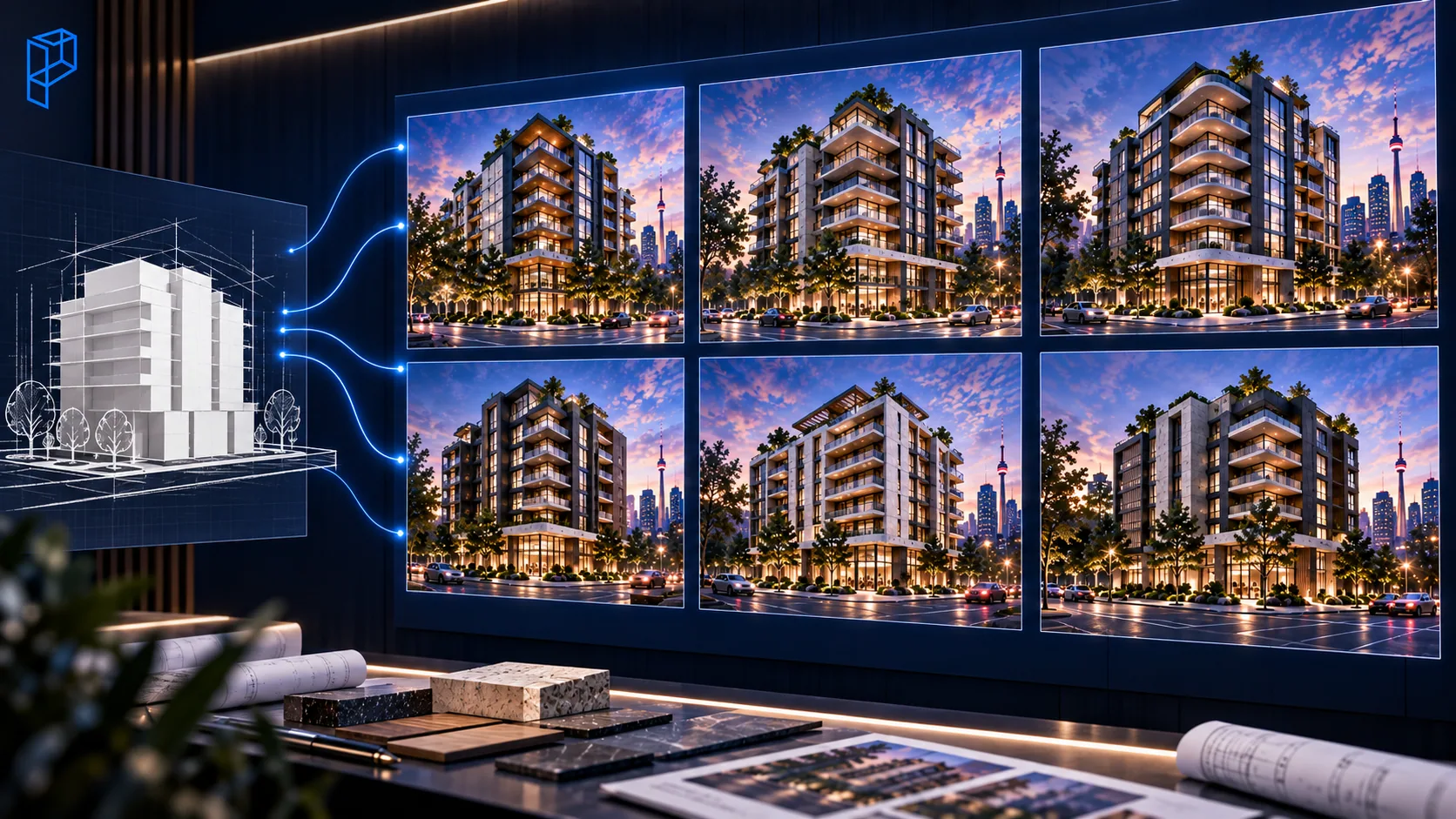
- No accuracy: nothing in the image is measured. Proportions drift, floor counts change, stairs lead nowhere, and window spacing wanders across a facade.
- No consistency: ask for the same building from three angles and you get three similar but different buildings, because no model is holding the design steady.
- No precise revisions: ask for the brick two shades warmer and nothing else changed, and the tool can only redo the whole image and hope it comes close.
- Legal risk: copyright on AI images is still unclear, and uploading unreleased drawings to a public tool can break your client NDAs.
What is professional 3D rendering?
Professional 3D rendering is built, not generated. An artist constructs a measured 3D model from your actual drawings, applies materials from your finish schedule, and lights it accurately. A render engine then simulates how light behaves in that geometry.
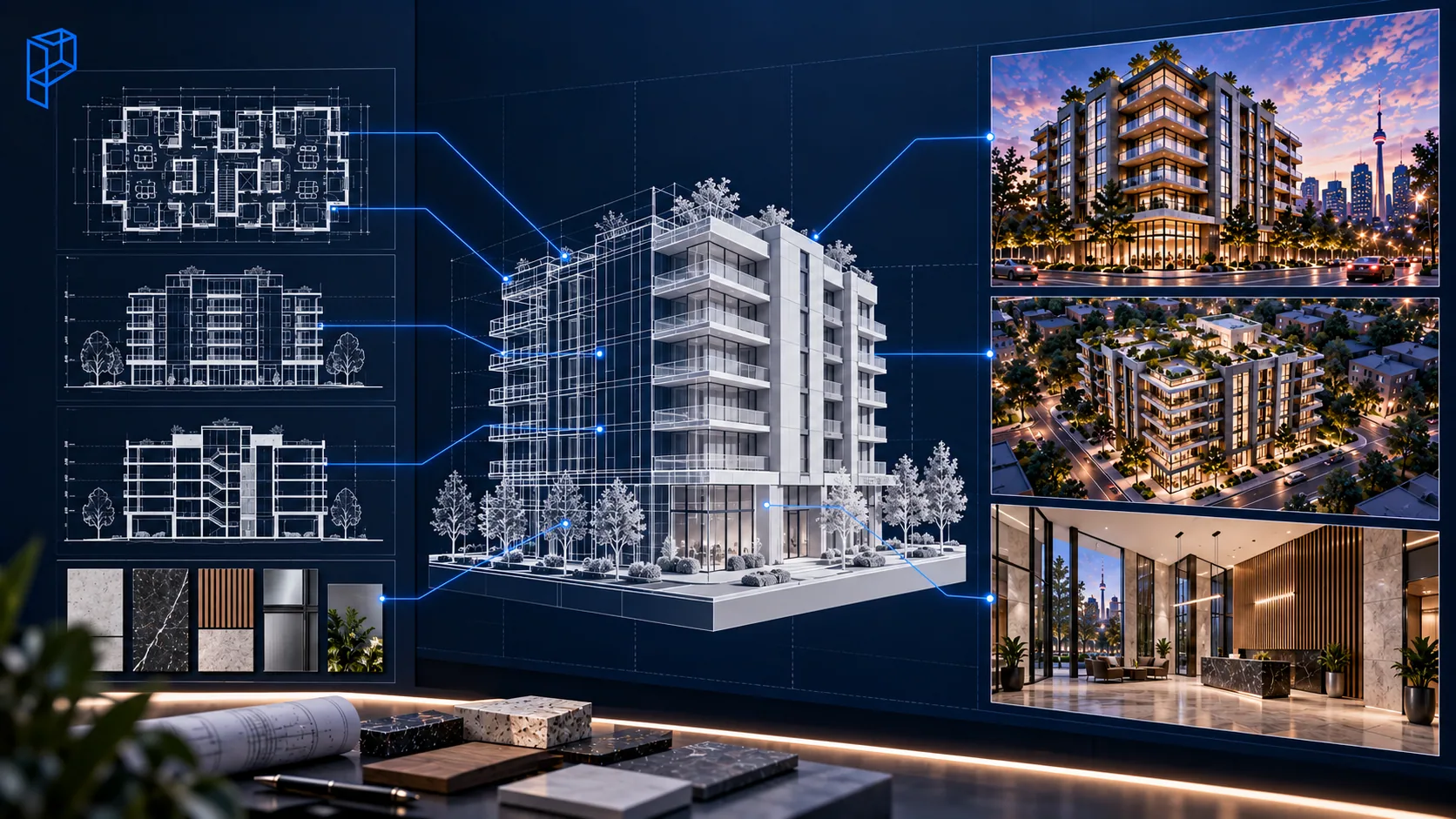
The result works like a photograph of a building that exists as a precise digital model. That's why every window sits where your elevation says it does, and why the same model produces the street view, the aerial and the interior without contradiction. If you want to see what each production stage involves, our breakdown of how long an architectural rendering takes walks through it day by day.
Strengths of professional rendering
When the image has to hold up to scrutiny, this is what you're paying for:
- Accuracy: the image matches your drawings because it was built from them.
- Consistency: every view comes from one model, so your full marketing set reads as one building.
- Precise revisions: "warmer brick, nothing else" is a five-minute change, not a gamble.
- A reusable asset: once your model is built, it can produce marketing sets, walkthrough animations and next year's phase two visuals at a fraction of starting over. AI can't offer you this, because there's nothing behind its images to reuse.
Weaknesses of professional rendering
Professional rendering has real trade-offs too, and you should plan around them:
- Time: a single exterior takes 3 to 7 business days, and a full launch package takes weeks.
- Cost: every image costs real money, so it's a poor fit for throwaway concept work.
- Needs finished drawings: work can't really start until your design is resolved, so it's the wrong tool for the sketch phase.
- Quality varies: studios differ widely, which is why you should vet them carefully. Our guide on choosing a rendering company gives you 12 questions to ask.
When should you use AI rendering, and when professional rendering?
Use AI while you're comparing ideas and nobody will measure anything, like facade options for Friday's design review or a competition mood board. Switch to professional rendering the moment someone will act on the image: client sign-off, planning applications, and sales.
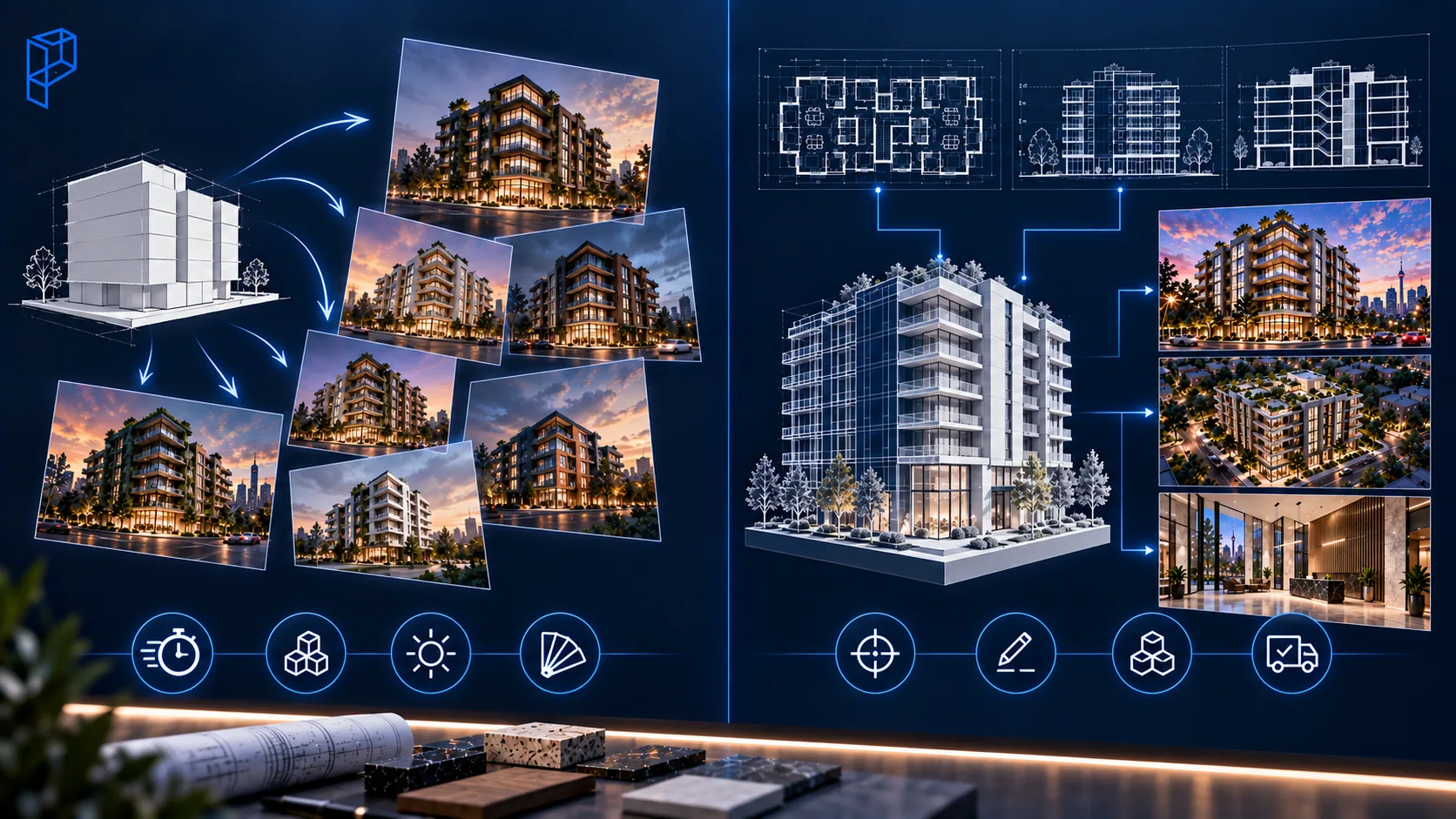
Here's the comparison in one table, followed by the scenarios you'll actually face.
| Factor | AI rendering | Professional 3D rendering |
|---|---|---|
| Speed | Seconds to minutes | Days to weeks |
| Cost per image | Near zero | Real budget |
| Accuracy to drawings | Unreliable | Exact |
| Consistency across views | No | Yes |
| Targeted revisions | No | Yes |
| Reusable 3D asset | No | Yes |
| Legal and NDA safety | Murky | Contracted |
| Best phase | Concept | Deliverables |
The table gives you the rules. Here's how they play out on real deadlines.
Your design review is Friday and you need to test five facade directions. Use AI, because you're comparing ideas and nobody will measure anything. A competition mood board due Monday morning falls in the same category, and AI will get you there by Sunday night.
The moment someone will act on the image, the answer flips. A client sign-off meeting needs professional rendering, because your client will compare the image against the drawings, and so will their lawyer if the built product differs. A development application needs it without exception, because a review panel relies on those sightlines, and "the AI generated it" isn't a defence your licensing body will accept. Pre-construction sales imagery needs it too, because buyers rely on those images and consumer protection rules apply, as we cover in our pre-construction rendering guide.
The most dangerous AI render is the good one. An obviously fake image misleads no one, but a photorealistic image of a building that doesn't match your drawings invites decisions, and deposits, based on fiction.
Can you use AI and professional rendering together?
Yes, and the firms getting the most value do exactly that, in sequence. AI handles the concept phase, when cheap throwaway images help you and your client agree on a direction. A professional studio takes over once the design is resolved.
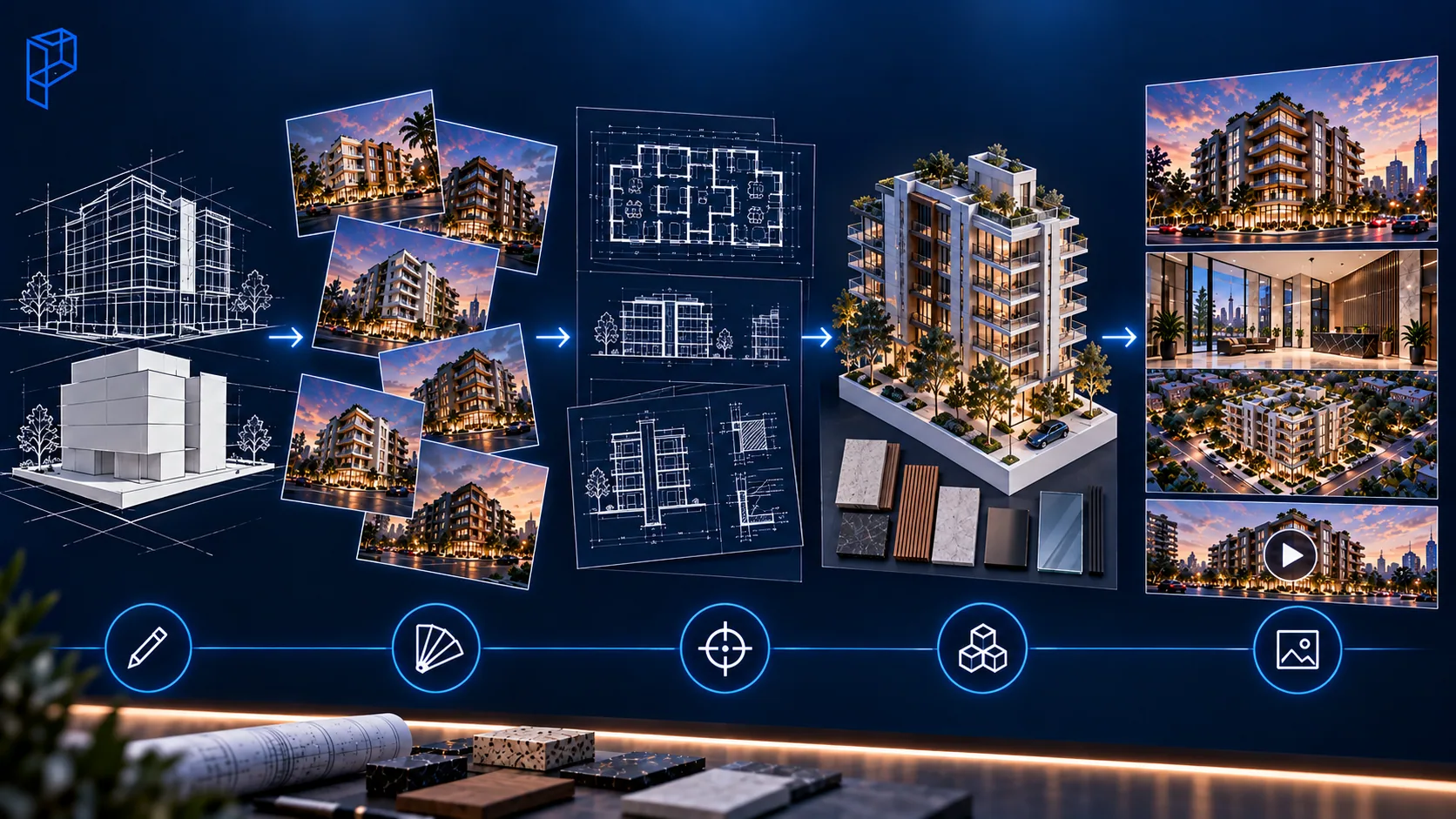
You don't need to pick one permanently. Here's how the handover works in practice:
- Sketch the massing and agree the brief with your client.
- Run AI concept options for style, mood and material direction, and throw most of them away.
- Resolve the design in drawings: plans, elevations, sections and a finish schedule.
- Send the drawings to a studio, where they become a measured model with your real materials.
- Produce every deliverable from that one model, from exterior renders to aerials, interiors and animation.
Used this way, AI doesn't threaten your visualization budget. It makes sure the professional money is only spent representing a design you've already stress-tested.
Where do you go when the image has to be true?
To a studio that builds from your drawings, not from statistical guesses about what buildings usually look like. At Pyctom Labs, every image traces back to a measured model, every view matches every other view, and revisions change only what you ask.
Use AI freely where trying ideas is the job. When your image has to be true, send us your drawings, or see what drawing-accurate work looks like in our portfolio.
Frequently asked questions
Can AI rendering replace professional 3D rendering?
Not for deliverables where accuracy matters. AI can't build from your drawings, hold consistency across views, or make targeted revisions, which are the core requirements of client-facing work.
Is AI rendering good enough for client presentations?
For early direction-setting, yes. For presenting your actual design, no, because the image won't reliably match your drawings, and clients notice when built reality differs.
Can architects use AI renders in planning applications?
It's a professional risk you shouldn't take. Submissions are representations others rely on, and AI images routinely invent context, heights and details. Use drawing-accurate professional renders for anything reviewed or approved.
Is it safe to upload project drawings to AI tools?
Check your NDAs first. Many public AI tools process uploads on external servers, which can conflict with confidentiality obligations on unreleased projects.
How much faster is AI rendering than professional rendering?
An AI image takes seconds to minutes. A professional exterior takes 3 to 7 business days, and a full launch package takes weeks. The gap narrows on revisions, where a professional model changes one thing in minutes and AI has to start over.
What's the best workflow combining AI and professional rendering?
Use AI for concept work and mood in early design, then professional rendering once your design is resolved. Try ideas cheaply, represent the final design accurately.