
Best 3D Rendering Software in 2026: V-Ray, Corona, Lumion, Enscape and Twinmotion Compared
Table of Contents
The best 3D rendering software in 2026 depends on one question. Do you need speed during design, or maximum realism at delivery? Real-time tools like Enscape, Twinmotion and Lumion answer the first. Offline engines like V-Ray and Corona answer the second. If you pick the wrong side, you pay for it. You either wait hours for images your meeting needed in minutes, or you ship visuals that look like a video game.
In this guide, we will walk you through all five tools, their real costs and their hardware demands. By the end, you will know which one fits your work.
What is the difference between real-time and offline rendering?
Real-time renderers like Enscape, Twinmotion and Lumion produce images in seconds and update live as you change your model. Offline engines like V-Ray and Corona compute each image over minutes or hours, tracing light precisely enough for final marketing visuals.
Your decision starts here, because the category matters more than the brand. You'll use real-time tools for design reviews, quick client presentations and iteration. You'll want offline engines for your marketing imagery, competition boards and high-stakes presentations.
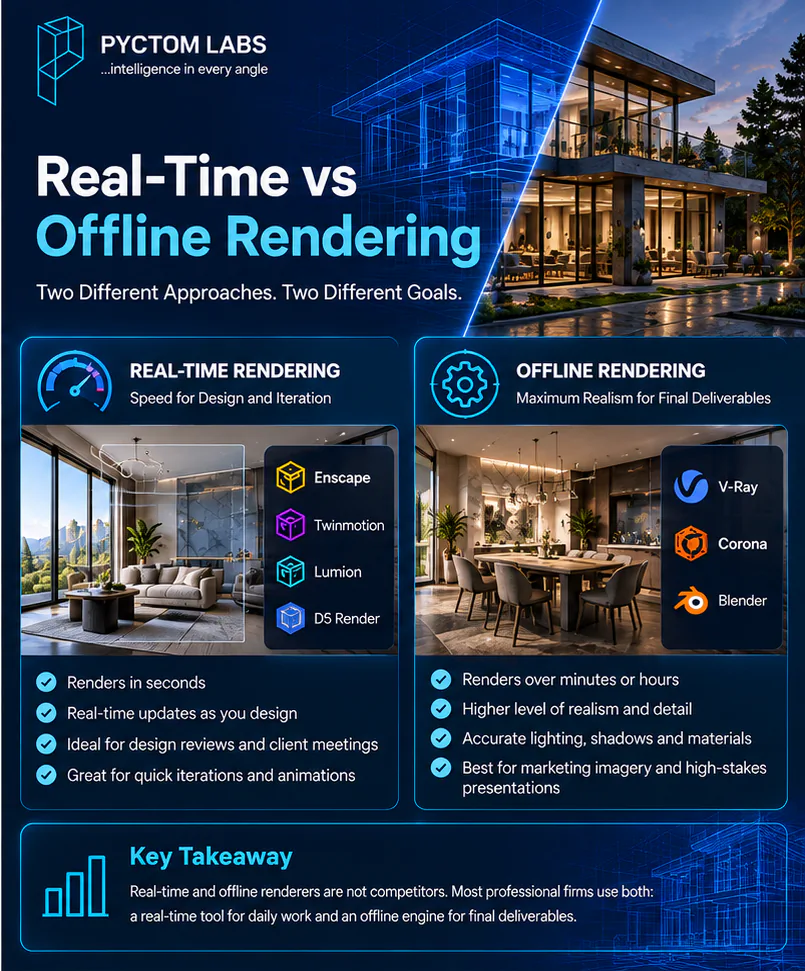
The two sides are not competitors. If you run a serious firm, you'll likely end up with one of each. The real-time tool handles your daily work, and the offline engine handles your final deliverables.
How do the best 3D rendering software tools compare?
V-Ray and Corona are offline engines on premium subscriptions, built for photorealism. Enscape costs about US$575 a year and renders inside Revit and SketchUp. Twinmotion is free for firms under US$1 million in revenue, and Lumion Pro runs about €1,500 a year.
| Software | Type | Typical price (2026) | Best for |
|---|---|---|---|
| V-Ray | Offline | Subscription, premium tier | Maximum photorealism, studio production |
| Corona | Offline | Subscription, premium tier | Photoreal interiors, easier setup |
| Enscape | Real-time plugin | About US$575/year (Solo) | Fast rendering inside Revit and SketchUp |
| Twinmotion | Real-time standalone | Free under US$1M revenue | Cinematic animations on a budget |
| Lumion | Real-time standalone | About €1,500/year (Pro) | Exteriors, landscapes, huge asset library |
What are the best 3D rendering software tools in 2026?
V-Ray is best for photorealism, Corona for photoreal interiors, Enscape for Revit and SketchUp workflows, Twinmotion for value, and Lumion for exteriors and landscapes. Each one earns its place for a different reason, and each one falls short somewhere else.
Here is what each tool does best for you, and where it will let you down.
1. V-Ray: best for photorealism
V-Ray, from Chaos, is the production renderer most professional visualization studios build on. It traces light with physical accuracy. That is why film studios and high-end archviz teams trust it for final imagery. If you need the highest quality ceiling on this list, this is it.
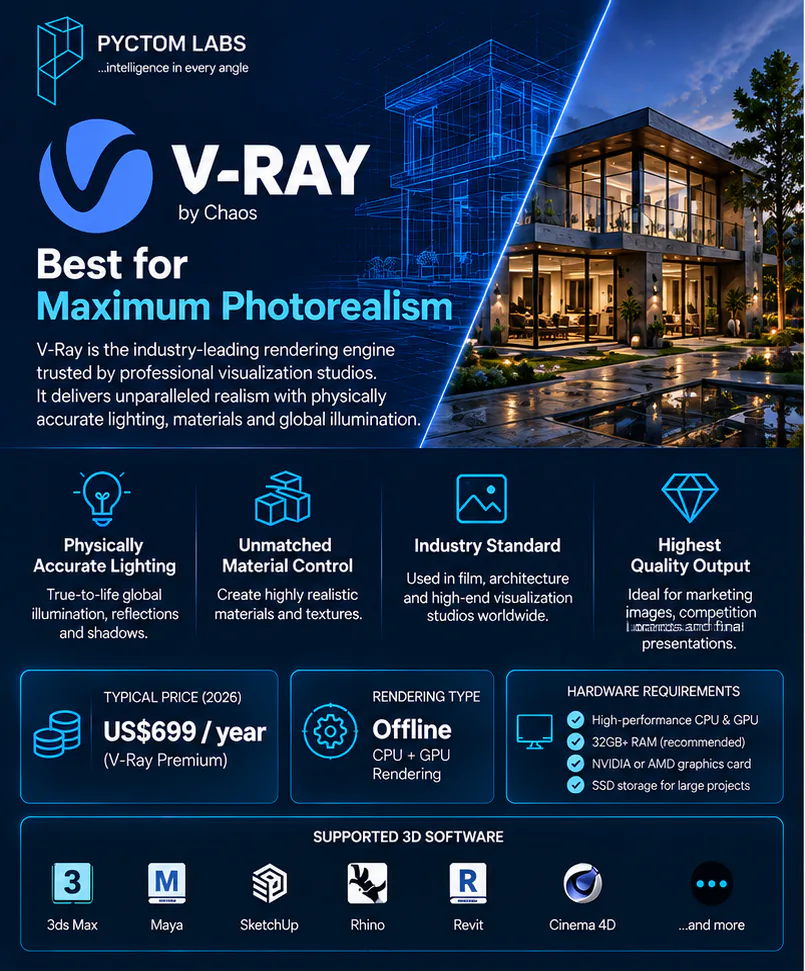
The price of that ceiling is your effort. V-Ray demands real rendering knowledge, from materials to sampling. Images take minutes to hours to compute. If your deliverable is a marketing hero shot, that trade is worth it. If you need ten drafts before lunch, it is not.
2. Corona: best for photoreal interiors
Corona, also from Chaos, delivers V-Ray-class realism with a friendlier setup. It is a favourite for photoreal interiors. Its light handling produces soft, believable results with fewer settings for you to master.
Its limits are scope and speed. Corona is CPU-based and offline, so images still take time. It also lives mainly in the 3ds Max and Cinema 4D world. If your studio focuses on interiors, it is often the smarter of the two Chaos engines.
3. Enscape: best for Revit and SketchUp workflows
Enscape is not a standalone application. It is a plugin that renders in real time inside Revit, SketchUp, Rhino and ArchiCAD. You export nothing and manage no separate scene. If you work in a BIM pipeline, it is your most efficient path from model to image. That is why it dominates design-phase visualization. Our guide to BIM visualization shows where tools like this fit in project coordination.
The trade-off is the ceiling. Enscape's output is clean and accurate, but it does not reach V-Ray or Corona quality for your final marketing images.
4. Twinmotion: best free rendering software
Twinmotion runs on Unreal Engine 5 and is free if your firm earns under US$1 million per year. That makes it the best value you can get in rendering today. You get cinematic real-time visuals, strong animations and one-click seasons, and it runs on both Windows and Mac.
Its aesthetic is the honest caveat. Twinmotion images carry a recognizable game-engine polish. They are atmospheric and dramatic, but not always convincing as photography. For your concept films and design presentations, that look sells. For your photoreal marketing, it shows.
5. Lumion: best for exteriors and landscapes
Lumion is a standalone renderer built around speed and an enormous library. You get more than 10,000 trees, people, furniture pieces and effects. Your exterior scenes and landscapes come together faster here than anywhere else. That is why landscape-heavy practices love it.
The costs are real, though. Lumion Pro runs around €1,500 per year and demands a high-performance NVIDIA graphics card. Its style also leans illustrative rather than photographic, which suits your presentations more than your sales imagery.
Which other rendering tools are worth considering?
D5 Render and Blender sit just outside the big five, and you should know both. D5 is the fastest-rising real-time challenger and undercuts Enscape on price. Blender is completely free and can match professional output, if you can invest the learning time.
D5 Render: the rising real-time challenger
D5 offers a hybrid ray-tracing pipeline and a free community tier. Its Pro plan, near US$360 per year, undercuts Enscape. If your machine has an RTX card, it deserves a trial.
Blender: the free option with the steepest learning curve
Blender, with its Cycles engine, costs nothing and can match professional output. The cost is your time, because its learning curve is the steepest of anything here.
What hardware does 3D rendering software need?
Real-time engines need a strong GPU. Twinmotion and D5 at full path-tracing quality want 16GB or more of video memory, and Lumion has always demanded strong NVIDIA hardware. Enscape is the most forgiving and runs acceptably on a mid-range card.
Software subscriptions are only half your budget, and the graphics card is the hidden cost. Run the full math before you choose. If a free tool needs a $4,000 workstation upgrade, it is not a free tool.
How do you choose the best 3D rendering software?
Match the tool to your job. Enscape suits Revit and SketchUp design work, Twinmotion suits tight budgets, Lumion suits exteriors, Corona suits interiors and V-Ray suits final imagery. Most firms end up running one real-time tool and one offline engine.
Use this as your shortlist:
- If you work in Revit or SketchUp and need fast design-phase images, choose Enscape.
- If you want the most capability for the least money, choose Twinmotion, especially under the revenue cap.
- If exteriors, landscaping and animations drive your work, choose Lumion.
- If your deliverables are photoreal interiors, choose Corona.
- If you need the absolute best final imagery and can invest the learning time, choose V-Ray.
- If you run a firm, choose two. Use a real-time tool for daily work and an offline engine for finals.
Can you get professional renders without buying the software?
Yes. Outsourcing your final imagery to a visualization studio gets you offline-engine quality without the licences, the hardware or the learning time. Your team stays in its design tools, and the studio delivers the marketing renders.
Every tool above shares one truth: the software is the cheapest part. Professional results come from years of material, lighting and composition skill. Add the hardware, and add the hours your team spends rendering instead of designing. That equation is exactly why firms outsource their final imagery. Our breakdown of the design visualization process shows what goes into studio-grade output.
At Pyctom Labs, we run professional V-Ray and Corona pipelines daily. You get offline-engine quality without buying, learning or maintaining any of it. Send us your project and keep your team in their design tools.
Frequently asked questions
What is the best 3D rendering software overall?
There is no single winner. V-Ray leads for final photorealism, Enscape leads for speed inside BIM tools, and Twinmotion leads on value. The best choice depends on your deliverable.
What rendering software do professional studios use?
Most visualization studios build on V-Ray or Corona for final imagery. A real-time tool usually sits alongside them for drafts and design reviews.
What is the best rendering software for beginners?
Twinmotion or Enscape. Both produce presentable images within days of installation, while V-Ray and Corona reward months of learning.
Is Twinmotion really free?
Yes, for companies earning under US$1 million per year. Larger firms pay for a licence, and the free tier still requires capable GPU hardware.
V-Ray or Corona, which is better?
V-Ray is more powerful and more universal. Corona is easier and shines on interiors. Studios choose by project mix, and both come from Chaos.
Do I need expensive hardware for rendering software?
Usually, yes. Real-time engines want strong GPUs with 16GB of video memory for top quality. Lumion requires high-end NVIDIA cards, and Enscape is the most forgiving on a mid-range machine.
Disclaimer: The information provided in this blog is for general informational purposes only. For professional assistance and advice, please contact experts.